
Instagram Marketing for Pubs: Turn Food Photos Into Foot Traffic
How to run a pub Instagram account in-house: profile setup, phone photography rules, three content pillars, stories, Reels, and the three numbers worth tracking.
26 December 2025 · 9 min read · Peter Pitcher
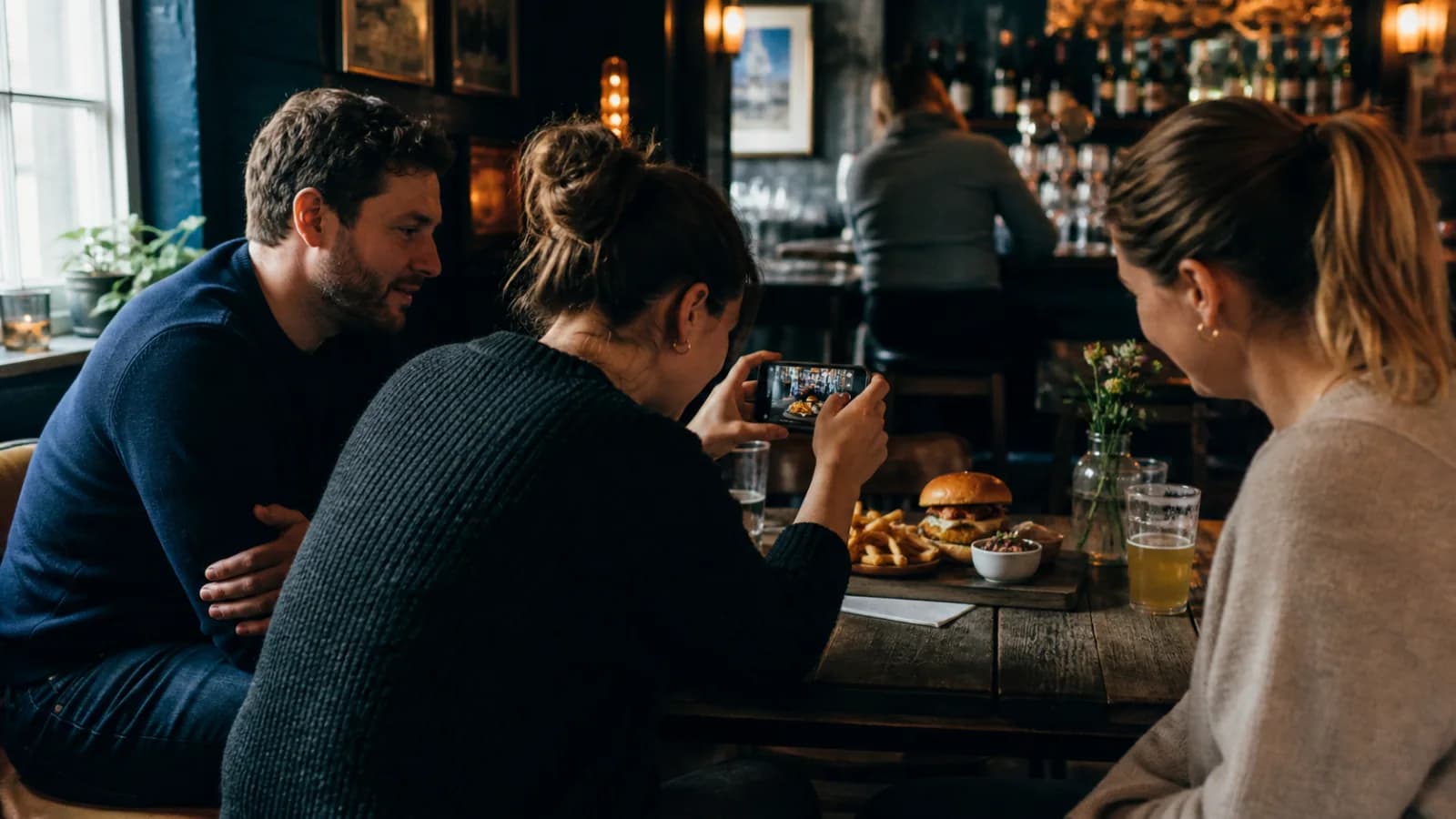
Quick answer
Set one visual standard, natural light, clean backgrounds and consistent framing, then rotate three content pillars weekly: food and drink, people and atmosphere, events and offers. Give every post a clear call to action, use stories for urgency during event weeks, and engage locally with nearby accounts and hashtags.
Instagram will not fill your pub on its own. What it does, done properly, is make the decision easy for the few thousand people within a ten minute drive who already know you exist but have not thought about you this week.
That is the job. Not followers, not likes. Reminding local people that you are open, that the food looks good, and that there is a reason to come in on Thursday.
I run The Anchor in Stanwell Moor, five minutes from Heathrow and half an hour from a Wetherspoons. Everything below is what we actually do, and once it is set up it takes about an hour a week.
Before you post: fix the profile
Most pub accounts lose people at the profile, not in the feed. Someone sees a decent photo, taps through, and finds a bio that says "Your local since 1876" and a link to a homepage with no menu on it.
Five jobs, all doable this week:
- Switch to a professional account. Settings, then Account type. It is free and it unlocks insights, scheduling and the story link sticker.
- Set the category to Pub and add your full address, so Instagram attaches your posts to the map and to location searches.
- Rewrite the bio to say what you sell and when: "Fresh food, cask ale and a proper Sunday roast. Kitchen Tue to Sun, 12 to 9."
- Point the bio link at your booking page, not your homepage. Every extra tap costs you covers.
- Pin three posts to the top of the grid: your menu, your next event, your best roast photo. Those three slots are your shop window and they stay put.
If your website is the thing letting you down at that final step, sort that first. It is worth reading whether your pub actually needs a website before you spend money on either.
Step 1: Set a visual standard
Consistency beats polish. A grid of twenty decent photos that look like they came from the same pub sells better than five brilliant ones surrounded by dark, orange-tinted snaps taken at nine on a Friday.
Set the rules once and stick to them:
- Shoot in daylight, next to a window. Mid-morning is ideal. Turn the overhead lights off, because tungsten bulbs turn everything orange and phone cameras never fully correct it.
- Never use flash. It flattens food and makes a warm room look like a hospital corridor.
- Plates at 45 degrees, pints at eye level. A pint shot from above is a beige circle. Get the phone down to glass height and the head does the work.
- Clear the background. One clean section of table, one prop at most. Sauce bottles, till rolls and other people's chips ruin more pub photos than bad cameras do.
- Pick one crop and keep it. Portrait 4:5 fills more of the screen than square and keeps your grid tidy.
- Wipe the glass and the plate rim. Thirty seconds with a cloth is the highest return edit you will ever make.
Edit with the same two sliders every time, usually a small lift in brightness and a small drop in warmth. Do not use heavy filters. People are deciding whether the food will look like that when it lands, so make sure it will.
Step 2: Build three content pillars
Deciding what to post is what kills pub accounts. Take the decision away by rotating three pillars.
| Pillar | What it is | Roughly how often |
|---|---|---|
| Food and drink | Your strongest sellers, the specials board, a new guest ale | Once or twice a week |
| People and atmosphere | The room filling up, the team, regulars who have agreed to be photographed | Once a week |
| Events and offers | Quiz night, live music, Sunday roast, the reason to visit | Once or twice a week |
Two rules. Photograph your best margin dishes, not your favourite dish. And get verbal permission before you post a customer's face, then take it down without argument if they ask.
If you want a bigger bank of ideas to draw on, our guide to content marketing ideas for pubs has formats you can slot straight into these three pillars.
Step 3: Post with a clear CTA
Every post should answer one question: what should the viewer do next? Vague posts get vague results.
Weak: "Sunday roast is back!"
Strong: "Sunday roast, 12 to 6 this Sunday. Beef, pork or nut roast, 16.95. Tables go by Friday, book through the link in our bio."
Name the thing, name the day, name the price, name the route to act. Examples that work:
- "Book for Thursday now, link in bio."
- "Walk-ins welcome after 7."
- "DM to reserve a table."
Front-load the caption too. Instagram truncates after roughly two lines, so the offer and the day belong in the first sentence, not after three lines of scene-setting.
Step 4: Use stories for urgency
Feed posts are your shop window. Stories are your bell.
Stories vanish in 24 hours, which makes them the right place for anything time-limited: "three tables left at 7", "last of the roast beef", "quiz starts in an hour". Use the poll sticker to pick next week's theme, the countdown sticker on event days, and the link sticker to send people straight to the booking page.
Post stories daily during event weeks and two or three times a week the rest of the time. Keep the good ones in a highlight with a plain cover: Menu, Events, Sunday, Function Room. That highlight row is the second thing people look at after your bio.
Step 5: Engage locally
Instagram rewards local relevance, and so do your customers.
- Add a location tag to every post, Reel and story. It is the single easiest bit of local discovery on the platform, and it puts you in front of people who have never followed you.
- Put your town in the caption in plain words. "The best Sunday roast in Stanwell Moor" is searchable. "Great roast" is not.
- Use three to five specific hashtags, not thirty. Local and niche beats broad. Your town, your county, your dish. Broad tags like #food put you in a queue behind a billion posts.
- Reply to every comment and DM within the hour where you can. An unanswered DM asking about Sunday availability is a lost booking, and it happens more than licensees think.
- Tag your suppliers, your brewery and nearby businesses. Collaborative posts show in both audiences, which is free reach.
Instagram works best as part of a broader plan. For the full picture, read our social media strategy for pubs and our companion guide on Facebook marketing for local pubs. And make sure your Google Business Profile is doing its job too, because "pub near me" searches land there as well as on social.
Step 6: Let Reels do the discovery work
Feed posts mostly reach people who already follow you. Reels reach people who do not, which is why they are worth the extra effort for two or three posts a week.
Keep them short, seven to fifteen seconds. Put the hook in the first second, because that is where you lose people. Add on-screen text with your town name and turn auto-captions on, since most viewers watch with the sound off.
Three formats you can film on repeat with no skill required:
- The pour. Ten seconds of a cask pint being pulled, shot at glass height.
- The pass. The plate leaving the kitchen and landing on the table.
- The room. A slow pan of a full bar on a Friday, ideally with a bit of noise.
Step 7: Batch a week in forty-five minutes
Daily posting fails because it depends on you remembering. Batching works because it depends on a diary entry.
Block forty-five minutes on a Sunday. Shoot ten to twelve photos and three short clips while the kitchen is prepping and the light is good. Write the captions in one sitting. Schedule the week through Meta Business Suite, which is free and handles Instagram and Facebook together.
Keep an "always ready" folder on your phone with six evergreen shots in it: the roast, the beer garden in sun, the fire lit, the function room laid up, the bar at service, the team. When a week goes sideways, you post from the folder instead of posting nothing.
Step 8: Measure three numbers, ignore the rest
Follower count is the number that flatters you and tells you nothing. Once a month, open Insights and look at three things instead:
- Views from non-followers. This tells you whether you are reaching new people or talking to the same forty regulars.
- Profile visits. This tells you whether your content makes people curious enough to look you up.
- Link taps and DM enquiries. This is the one that turns into money.
If profile visits are healthy but link taps are not, the problem is your bio and your call to action, not your photography. At The Anchor we grew table bookings by 403%, and social was one part of that alongside the website and Google Business Profile all pointing at the same booking path. The traffic only pays when the last click is easy.
Common mistakes
- Posting a photo of a poster. Screens full of text perform badly. Photograph the food and put the detail in the caption.
- Posting without a clear offer or a date.
- Dark, orange or blurry photos taken during service.
- Ignoring comments and DMs, especially booking enquiries.
- Buying followers, which buys you an audience two hundred miles away who will never buy a pint.
- Deleting the whole grid every time you refresh the branding.
Quick checklist
- Professional account, correct category, full address added.
- Bio link pointing at the booking page.
- Three posts pinned to the top of the grid.
- Three content pillars planned and rotating weekly.
- CTA with a day and a route on every post.
- Location tag and town name on everything.
- Stories used for urgency during event weeks.
- Forty-five minute batching slot in the diary.
Mini FAQ
Should I boost posts? Only once the organic version has already performed well, and only with a booking link attached. Boosting a weak post just buys more people the chance to ignore it.
If you want hands-on help running your pub's Instagram properly, explore our pub marketing.
questions people ask.
How often should a pub post on Instagram?
What hashtags should pubs use on Instagram?
Do I need professional photos for my pub Instagram?
Should my pub use a personal or professional Instagram account?
How do I get more bookings from Instagram rather than just likes?
keep reading.
- MarketingSummer Pub Marketing: Five Ways to Turn Footfall into RevenueSummer footfall doesn't become revenue on its own. Five practical moves to turn a busy summer into bookings, loyalty and repeat revenue, starting today.5 min read
- MarketingYour Pub Marketing Plan for 2026: Month-by-Month GuideA practical month-by-month marketing calendar for pubs in 2026. What to promote, when to plan, and how to build momentum all year.18 min read
- MarketingPub Chalkboard & A-Board Ideas That Actually Drive FootfallPractical chalkboard and A-board ideas that turn passing foot traffic into paying customers. What to write, how to design it, and the legal rules you need to know.12 min read
not sure this is your actual problem?
That's the more common situation, and it's what the first conversation is for. An hour, free, going through what's happening in your business before anybody suggests a fix.